From Local to Live. Safely.
Push your WordPress changes live with one click. Automatic backups before every update. Instant undo if anything goes wrong.
- Free for 1 site
- One time payment
- Works with any host
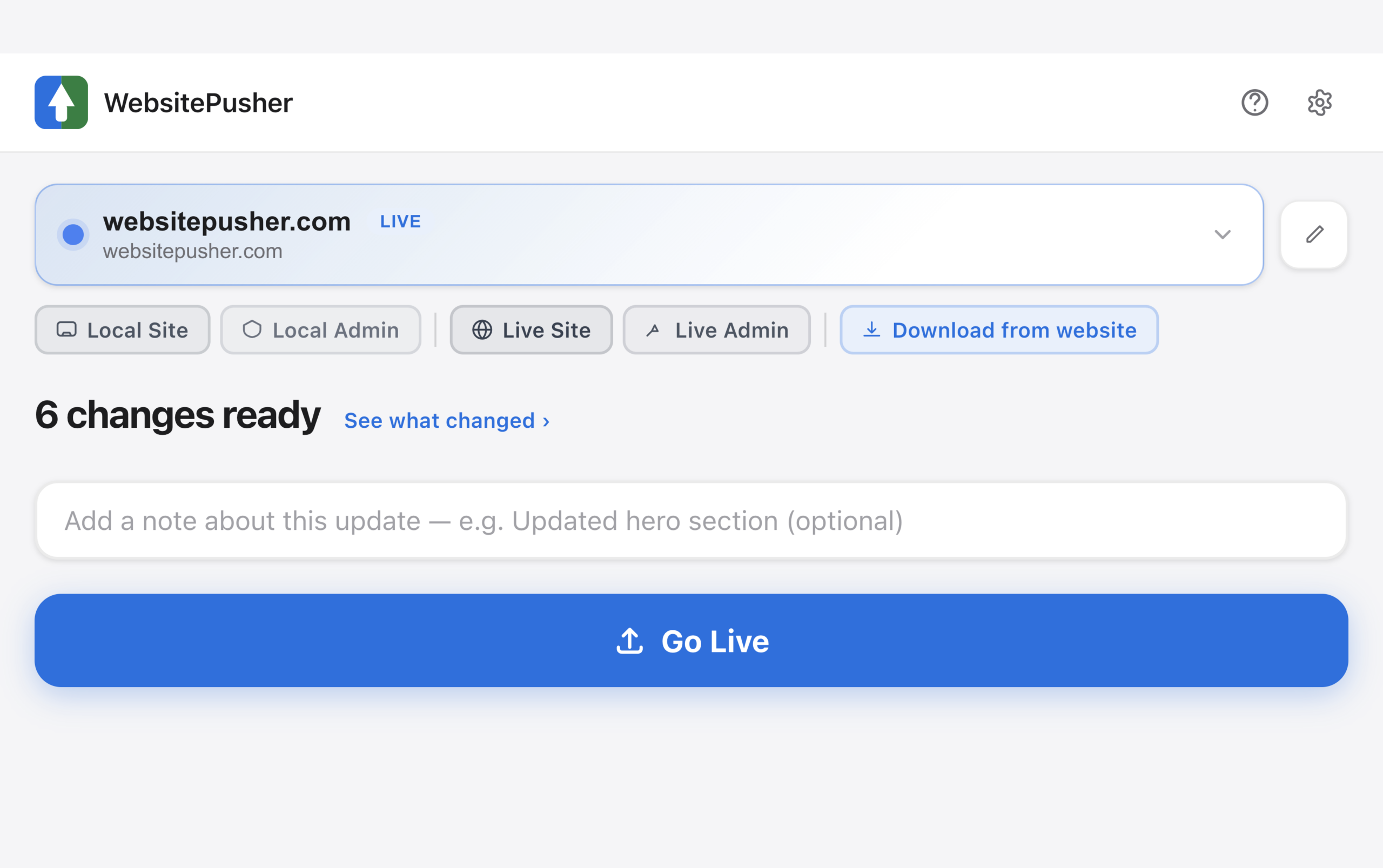
Pushing changes live shouldn't be scary.
You built it. You love it. Now you have to put it on the internet without breaking anything. That's where it gets stressful.
The old way is messy
Copying files by hand is slow and easy to mess up. One missed file and the new design looks broken on the live site.
Editing live is scary
Most folks edit straight on the live site and hope. One bad change and your customers see a broken page while you scramble to fix it.
Backups never happen
You meant to back up first. You always do. But it's a chore, so it doesn't, and the day you really need one is the day you don't have it.
Four steps. That's it.
No setup headaches. No copy and paste. Just push.
Install the plugin
Add the WebsitePusher plugin to your live site. Takes 30 seconds. Copy your connection key.
Connect the app
Open WebsitePusher on your Mac. Paste your site address and the key. You're paired.
See what changed
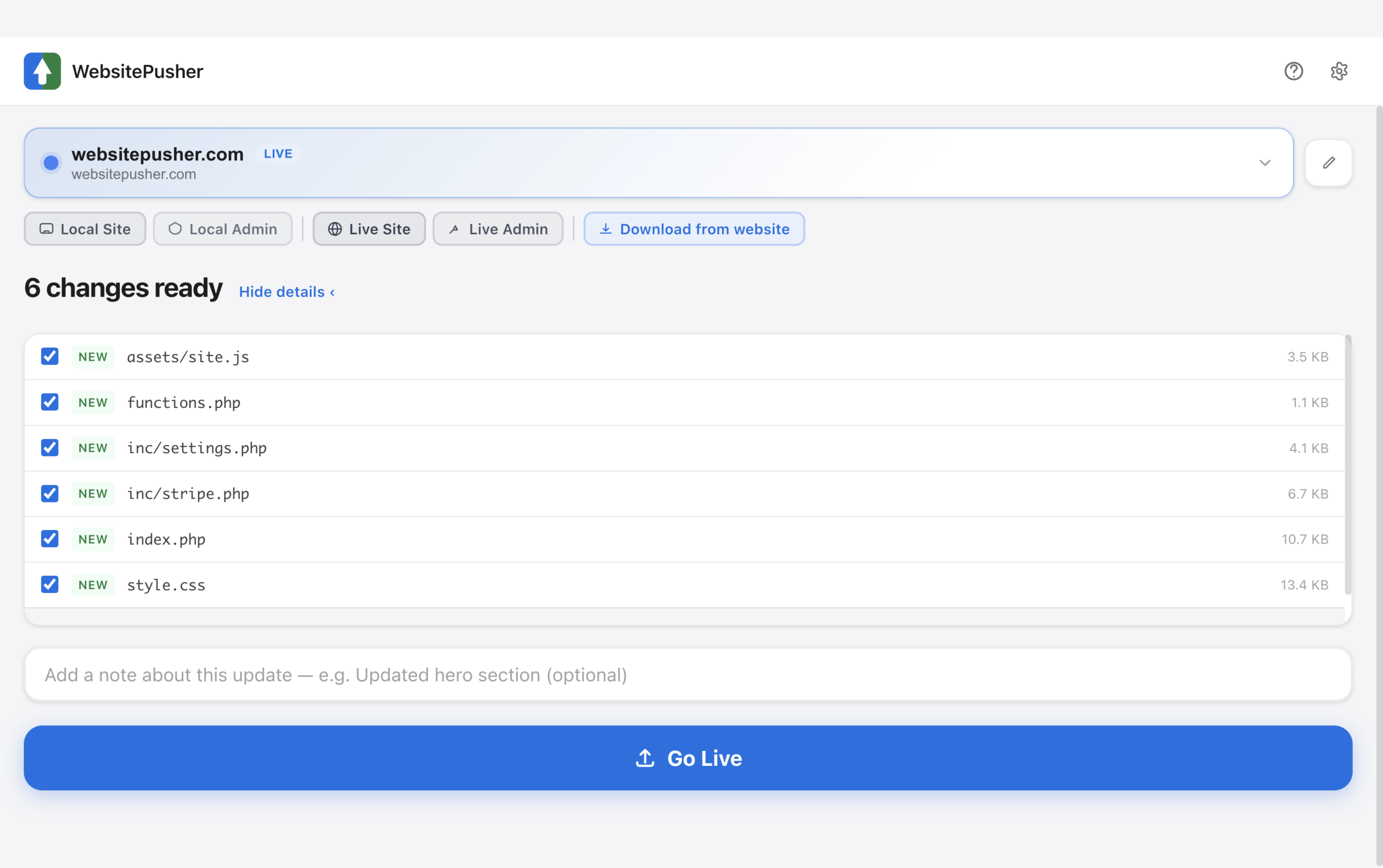
The app shows exactly what's new and what's different on your local site. No surprises before you push.
Click Go Live
Hit the button. A safety copy is saved first, then your changes go live. Done.
Designed for clarity.
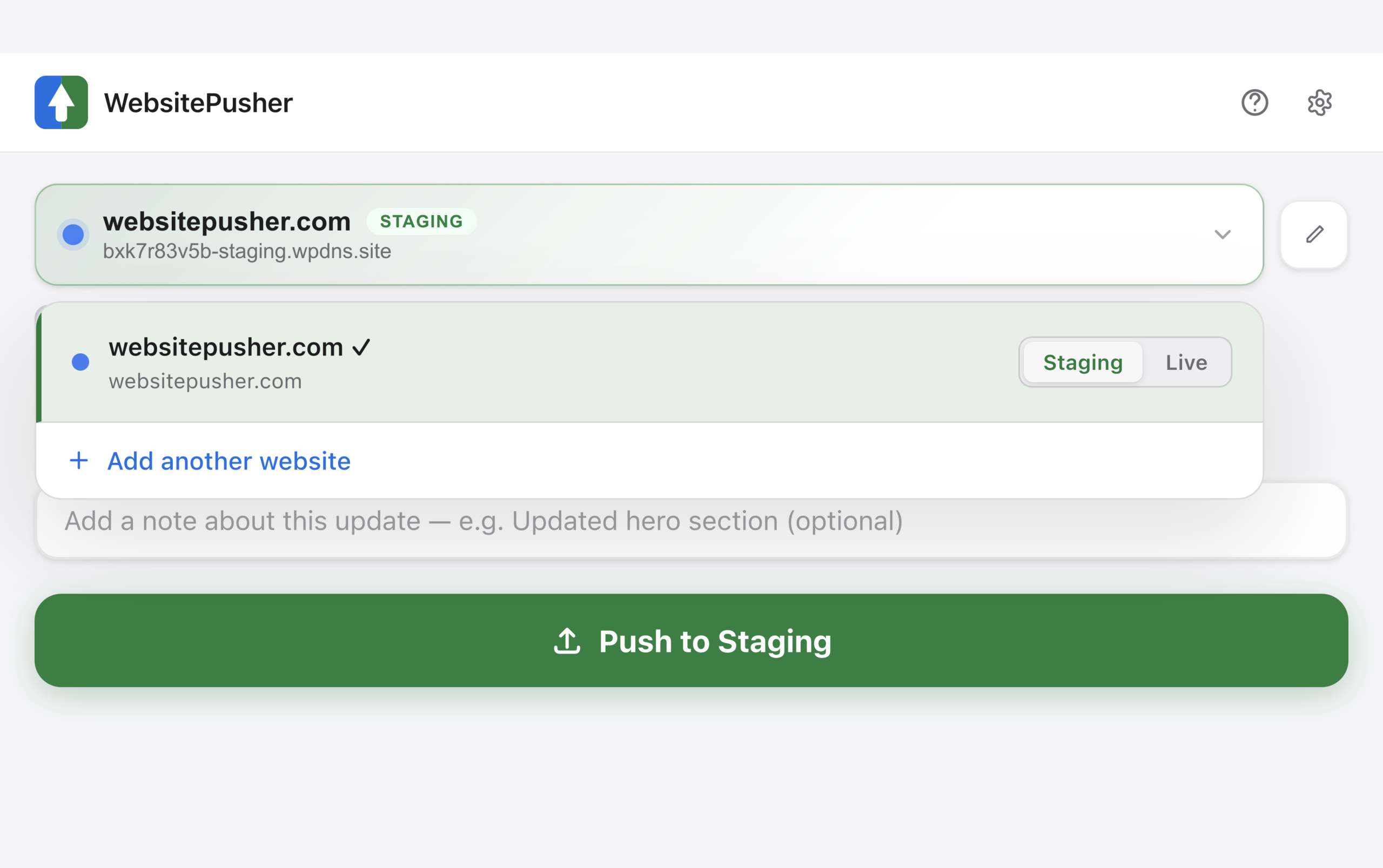
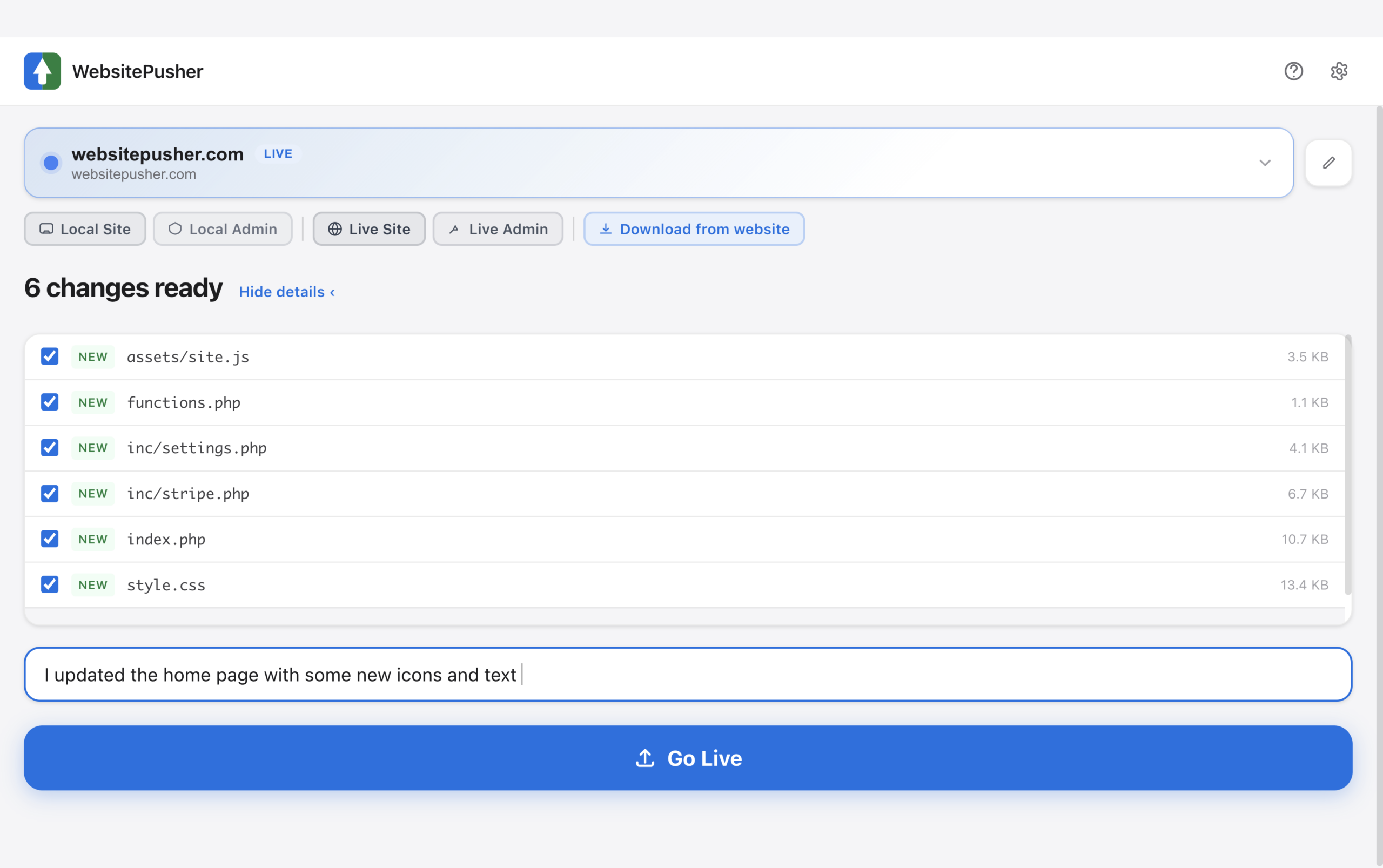
Every screen tells you exactly where you are and what's about to happen.
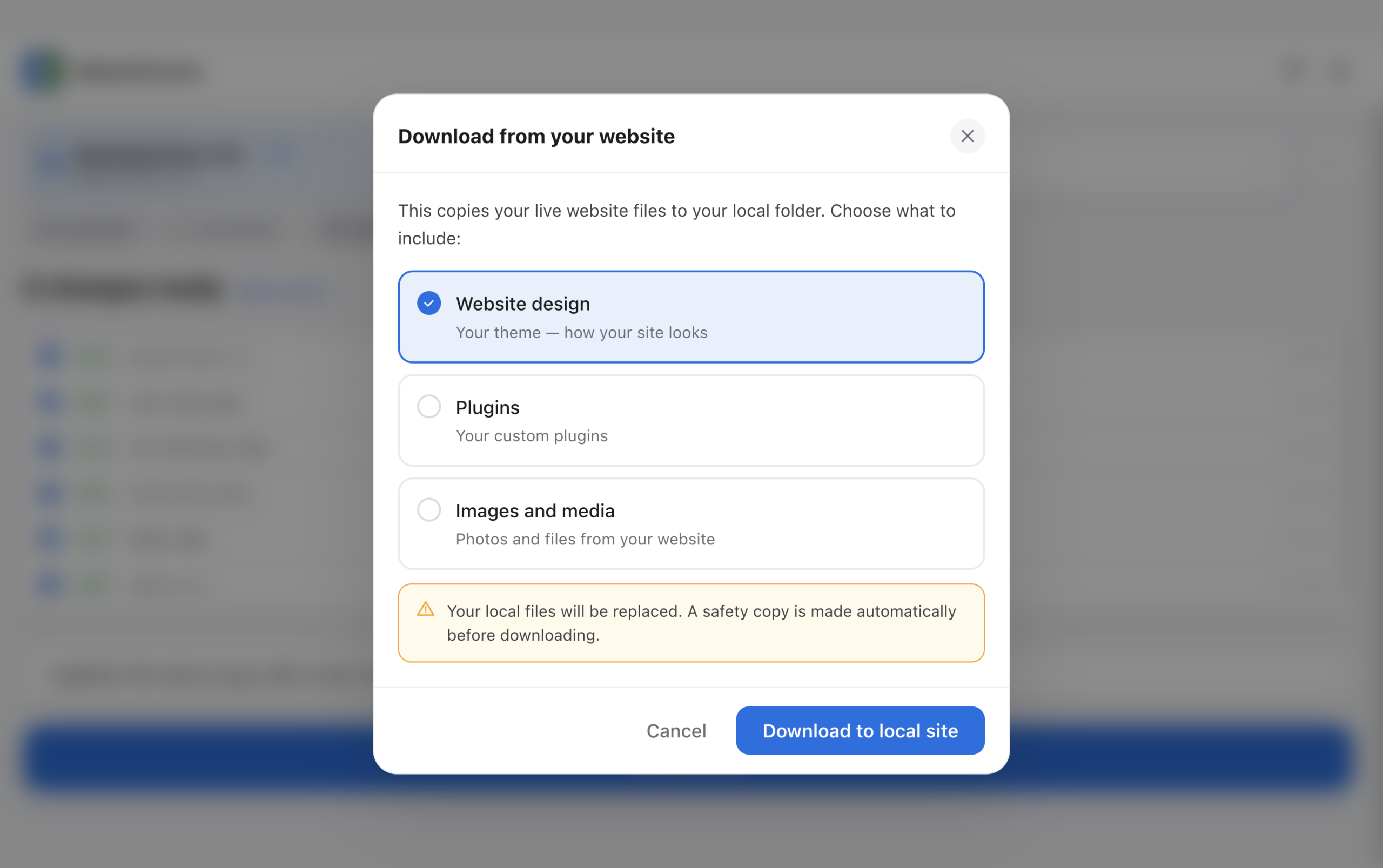
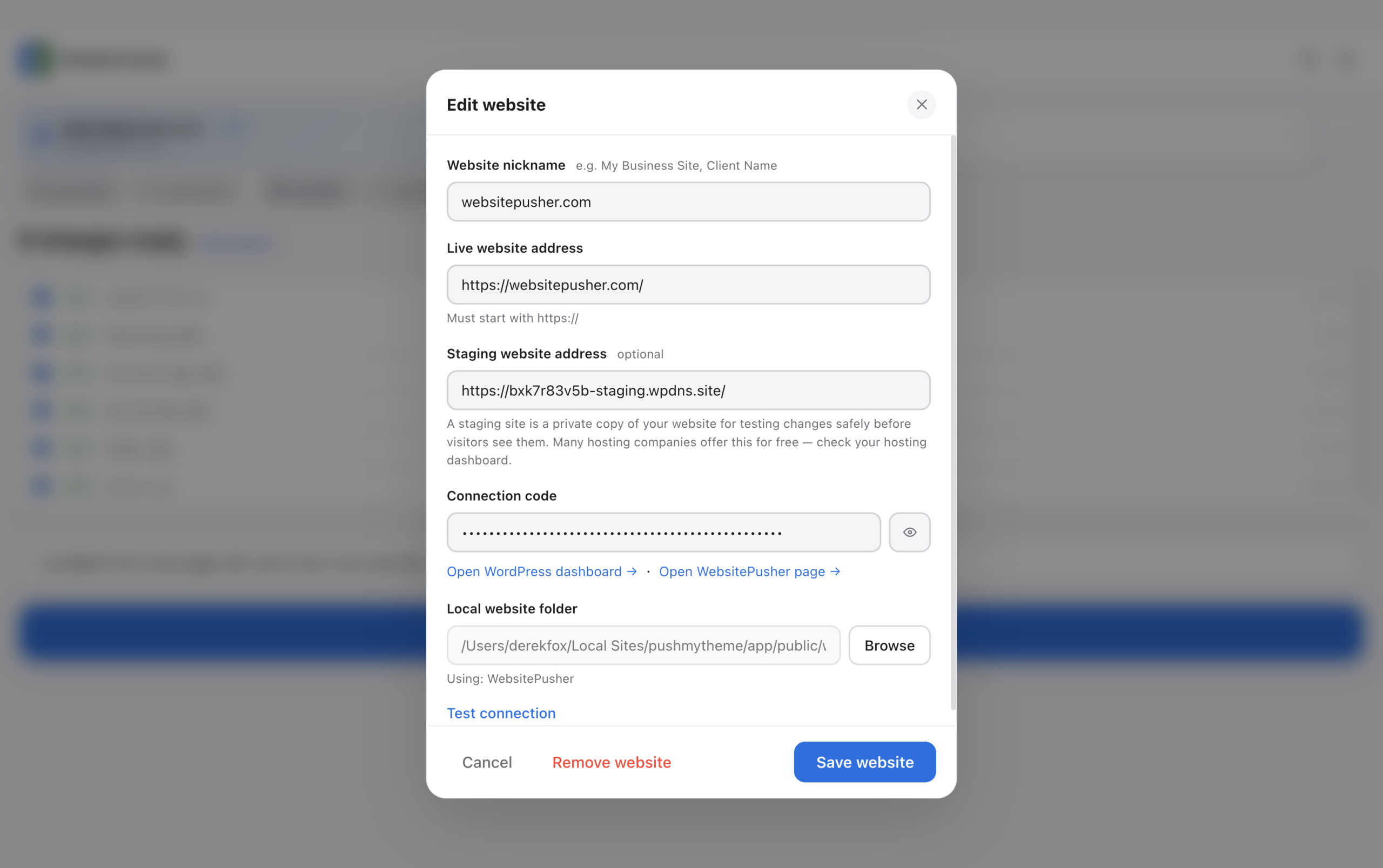
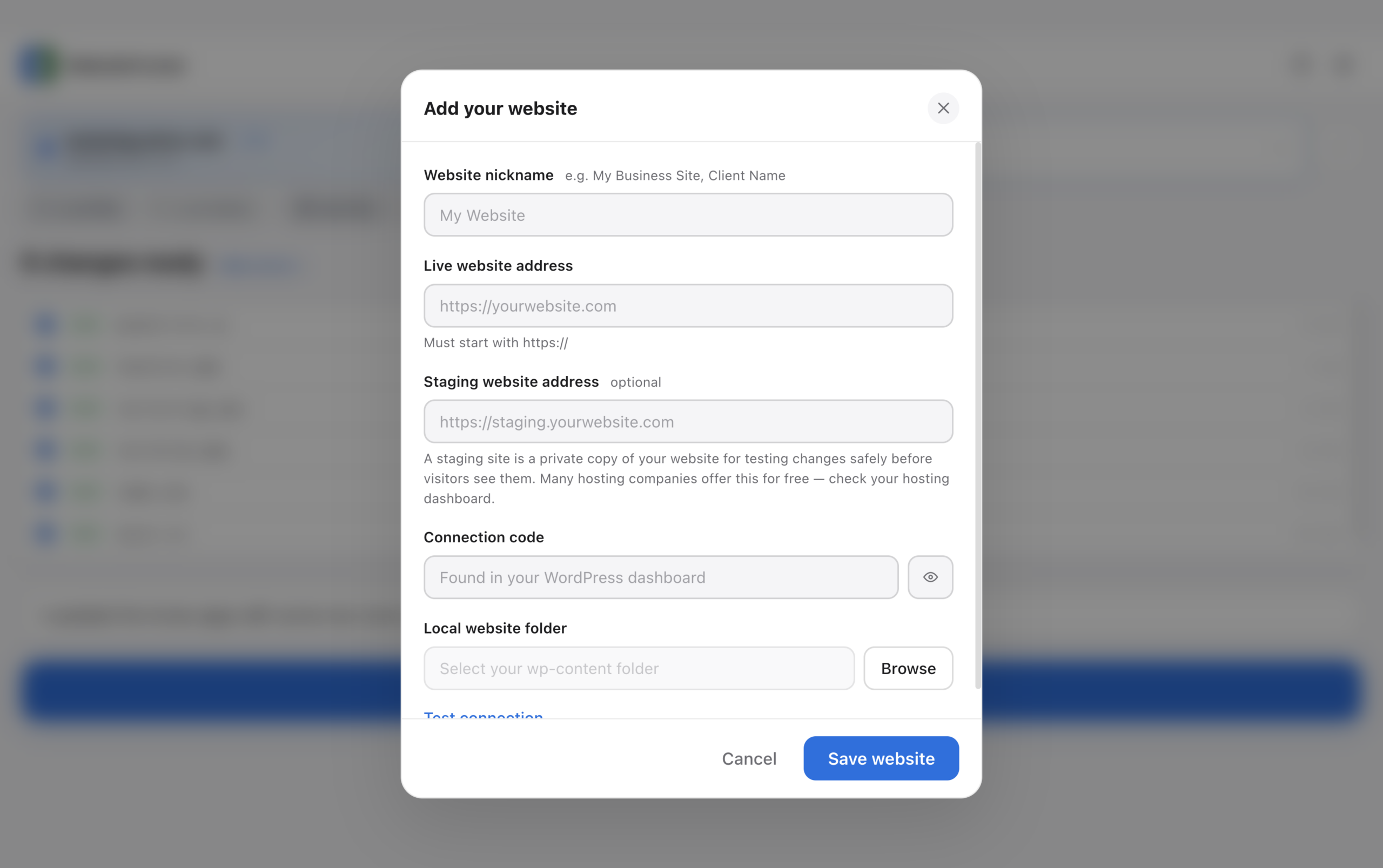
Everything you need. Nothing you don't.
Safety first
- Backed up before every single push — restore in one click if anything breaks
- App checks your site is working after every update
- Something goes wrong? It fixes itself automatically
- Change your mind any time — one click puts your old site back
Simple to use
- No FTP, no terminal, no Git — anyone can do it
- Plain English throughout — no error codes or jargon
- Never get stuck — help is built right into the app
- Finds your local sites automatically — no folder hunting
- Three steps: install plugin, connect app, click Go Live
Professional workflow
- Test on staging first, go live when the client approves
- The whole app changes color so you always know which environment you're in
- See exactly what files are changing before anything touches your live site
- Full deployment history with timestamps
- Exclude specific files — push only what you want
Works with everything
- Any host: SiteGround, Kinsta, WP Engine, Bluehost, GoDaddy
- Any local tool: Local WP, MAMP, XAMPP, DevKinsta, Valet
- Auto-detects your active theme
- Push themes and custom plugins
Pay once. Push forever.
- Automatic safety copies
- Instant undo
- Push to live with one click
- Email support
- Everything in Free
- Unlimited websites
- Use on every client site
- Practice on a copy first
- Push history and rollback
- Priority support
One-time payment. Yours forever. No subscription.
Questions? Answered.
Getting started
Do I need to know how to code?
No. WebsitePusher is built specifically for non-developers. If you can click a button, you can use it.
What do I need to get started?
Three things — a local WordPress site (built with Local WP or similar), a live WordPress website, and the free WebsitePusher app for Mac.
How long does setup take?
About 5 minutes. Install the plugin on your live site, download the app, paste two things in, and you're ready.
Does it work on Windows?
Not yet — Mac only right now. Windows version is coming. Join the waitlist on our website.
Safety & backups
What if something breaks after I push?
Before every single update WebsitePusher creates a full backup of your live site. If anything goes wrong, one click restores the previous version instantly.
Does it touch my database?
Never. WebsitePusher only deploys files — your theme, plugins, and media. It never touches your posts, pages, settings, or database.
What if the deployment fails halfway through?
WebsitePusher runs a health check after every deployment. If it detects a problem it automatically rolls back to the backup. Your site is protected.
How many backups does it keep?
10 by default. You can change this in the plugin settings.
Pricing & licensing
Is it really free?
Yes — the free plan lets you connect one website with no time limit. No credit card required.
What's the difference between Pro and Agency?
Pro connects up to 5 websites. Agency connects unlimited websites. Both are one-time payments — no subscriptions.
Do I pay again for updates?
No. One-time payment, yours forever, free updates included.
Can I use it for client sites?
Yes — the Agency plan is built for exactly that.
Compatibility
Does it work with my hosting company?
Yes. WebsitePusher works with any WordPress host — SiteGround, Kinsta, WP Engine, Bluehost, GoDaddy, Namecheap, Flywheel, Cloudways, and more.
Does it work with Local WP?
Yes — and it auto-detects your Local WP sites so you don't have to hunt for folders.
Does it work with MAMP, XAMPP or DevKinsta?
Yes — it works with any local WordPress tool.
Does it work with child themes?
Yes. It automatically detects your active theme including child themes.
Does it work with WordPress Multisite?
Not currently. Multisite support is on the roadmap.
Staging & live
What is a staging site?
A private copy of your website where you can test changes before real visitors see them. Most hosting companies offer this for free.
Do I need a staging site?
No — it's optional. But it's highly recommended if you're making big changes or working on client sites.
How does the staging toggle work?
When you add a staging URL the app shows a Staging/Live toggle. The whole app turns green for staging so you can never accidentally push to the wrong place.
Technical
Where are backups stored?
On your live server in a protected folder inside WordPress uploads. They're blocked from public access automatically.
Is my connection code secure?
Yes. It's a 48-character encrypted key stored securely in your WordPress database. Never exposed in URLs.
What files does it deploy?
Your active theme files by default. You can also enable plugins. It never touches WordPress core files.
Loved by designers and agencies.
I used to dread pushing sites live. I'd triple-check everything, still make mistakes, and spend an hour cleaning up. WebsitePusher made that whole anxiety disappear. I click one button and I'm done.
WebsitePusher has completely transformed how I deliver client sites. What used to take me 45 minutes of FTP uploads, crossed fingers, and frantic cache-clearing now happens in literally one click. I've pushed over 30 sites with it and it has never once let me down. It's the first tool in years that actually does exactly what it promises.
The automatic backup before every push is worth the price alone. I actually broke a client site once during an update. I hit undo and it was back in 30 seconds. The client never knew.
I'm not technical at all. My web designer set this up for me so I can push my own updates without calling him every time. It took about 10 minutes to learn and now I do it myself every week.
The color change for staging vs live is genius. I've used tools where I accidentally pushed staging changes to production. That's never happened with WebsitePusher. It's impossible to get confused.
Paid once and that was it. No monthly fee, no seat licenses, just a solid tool that works every time. I've referred it to every WordPress person I know. Straightforward and reliable.
Stop fighting your push process.
You built the site. You love it. WebsitePusher gets it live in one click. Safely. With a backup waiting if anything goes wrong.
- Free for 1 site, forever
- Pay once to unlock more
- Works with any WordPress host